Blender’s hard-surface modeling has long been hailed as one of the most versatile tools for creating dynamic objects in 3D. However, if you want to unlock even more efficiency, it’s time to consider adding Plasticity to your modeling toolbox. This innovative tool introduces a new level of control, simplicity, and precision to hard-surface modeling workflows in Blender—perfect for both hobbyists and professionals.
What Is Plasticity?
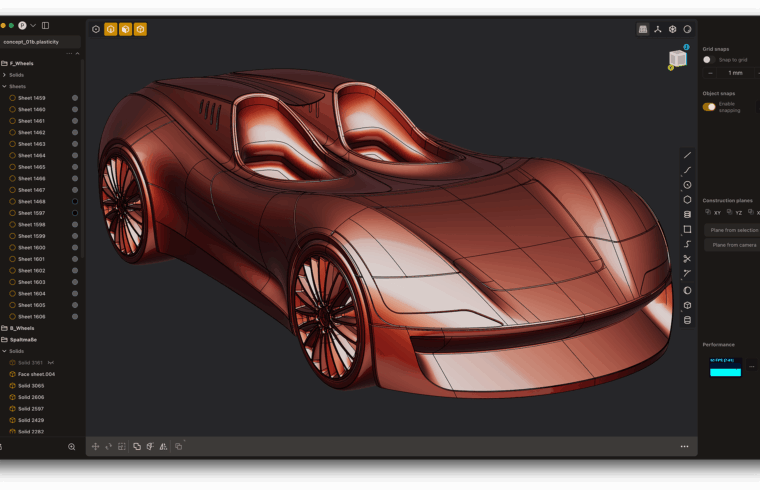
Plasticity is a streamlined, purpose-built software designed specifically for creating hard-surface models. Unlike more generalized 3D modeling programs, Plasticity narrows its focus to provide users with a user-friendly interface that excels in dealing with industrial and mechanical model creation. With this integration into Blender, the possibilities for creating high-quality designs faster and more efficiently have only increased.
Key reasons why Plasticity stands out include:
- Simplified interface for intuitive operation
- Robust creation of precise hard-surface models
- Streamlined workflows from concept to final render
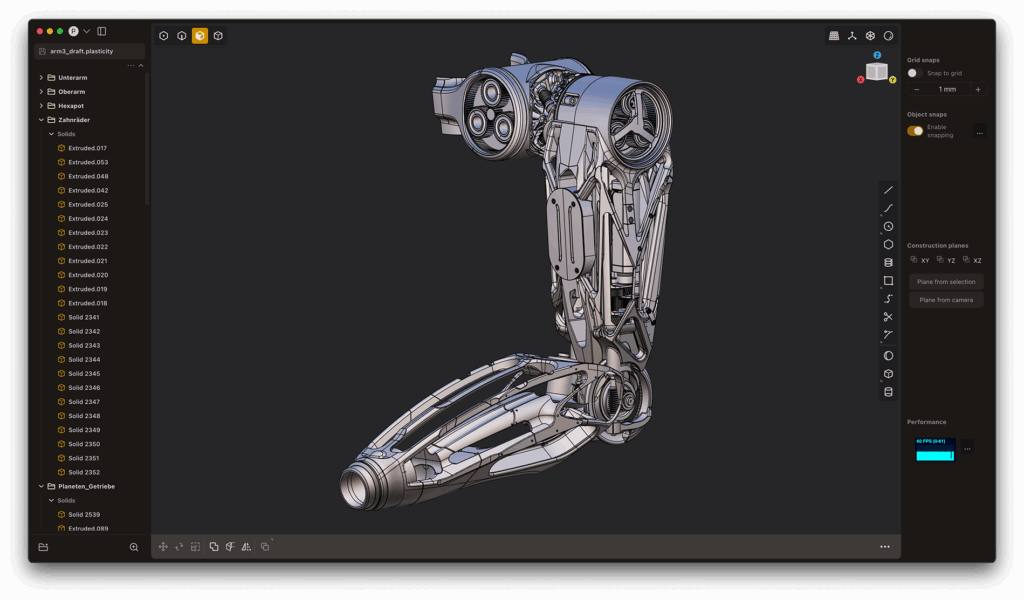
Hard-surface modeling in Blender can sometimes involve navigating a seemingly endless sea of features to gain precision. While Blender is powerful in its right, Plasticity can be a game-changer by simplifying complex operations without compromising quality—making it an ideal companion to use within your Blender workflow.
Here are the benefits:
- Reduced learning curve for users focused on hard-surface modeling
- Increased productivity by eliminating unnecessary steps in model creation
- Ability to export models back into Blender seamlessly
Plasticity’s primary focus on hard-surface modeling also means tools are highly optimized, including built-in booleans, fillets, chamfers, and edge-creasings that are easier to manage compared to Blender’s somewhat more granular (and occasionally overwhelming) options. Essentially, the workflow becomes faster and more optimized when the right tools are at your disposal.
Streamlining Your Workflow
Streamlining your hard-surface modeling involves making the process not only faster but also more intuitive. Plasticity introduces a much-needed boost in user-friendliness to the sometimes exhaustive Blender workflow, helping in the following areas:
Saving Time:
Plasticity’s intuitive UI allows users to jump straight into designing without having to spend countless hours learning new features or methods. This could shave off valuable hours in iterative processes.
Improved Precision:
The mathematical rigor behind each operation in Plasticity ensures that designs are crafted with meticulous precision. Whether you’re creating complex bevels or boolean operations, you have full control over every aspect of the model.
Seamless Integration:
You don’t have to leave Blender entirely behind! You can easily export your models built in Plasticity back into Blender to continue adjusting materials, lighting, or rendering complexities. It’s simply a matter of building the form in Plasticity, then migrating the design into Blender’s broader ecosystem.
Plasticity’s Top Features for Hard-Surface Modeling
To best understand how Plasticity accomplishes hard-surface mastery, it’s essential to delve into its top features:
- Boolean Operations: Plasticity excels at performing clean, non-destructive boolean operations. You can cut, subtract, or union objects with extreme accuracy and simplicity.
- Chamfer and Fillet Tools: The chamfer and fillet options in Plasticity allow for smooth object edges, eliminating the hand-finished look often experienced in Blender’s more manual layering system.
- Edge Control: Edge-creased surfaces, which are pivotal in hard-surface modeling, can be maintained without destructive refinements, making it easier to manipulate edges without constantly resetting or undoing actions.
- Beveling: Produce complex beveled structures with minimal effort, for a more realistic rendition of sharp, yet smooth industrial edges.
Conclusion
Integrating Plasticity into your Blender workflow can dramatically enhance your hard-surface modeling experience. This specialized tool helps streamline workflows, providing you with the precision and speed necessary for mechanical or industrial designs. Plus, its ability to seamlessly transfer models back to Blender means you get the best of both worlds—a simplified hard-surface modeling process without losing Blender’s comprehensive rendering and animation capabilities.
If you’re looking to take your hard-surface modeling to the next level, Plasticity is the solution to make your Blender workflow smoother, faster, and more efficient.